Create
Start with footage of the court. Position the baskets and trace the path of the ball to explain a shot.
Use your video as a starting point to create a place to explore freely, beyond the filmed route.
Create my 3D experience
 Documents
Film a continuous route and say where a new viewpoint would help. Here we leave the stands to follow a shot on the court.
See how it worksStart with footage of the court. Position the baskets and trace the path of the ball to explain a shot.
Check the positions and angles of view with which you explain the action.
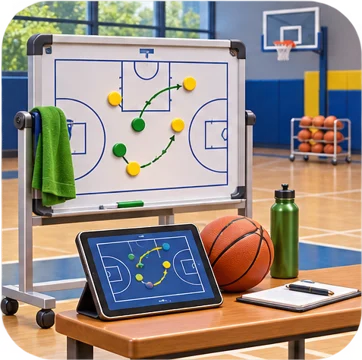
Share the link with the group before training or the match.
Reproduce an opening or an adjustment to show the operation you want to explain.
Add markers and viewpoints to explain the route you want to show.
Turn a method into a visual sequence to show your audience how it unfolds.
Animate the parts of a mechanism to explain how movement passes between them.
Preview the scenery, installations and atmosphere of a show or event.
Present several orientations or positions of equipment to make their differences visible.


Answers to help you gather documents and prepare your project.
Let’s talk about your ideaA slow, continuous walk-through, not filmed against the light, showing every side of the subject.
A continuous take makes the route easier to follow. Avoid cutting between important angles.
A 3D experience the visitor explores freely, no longer only in the order of the film.
Share its link, create a QR code or embed it on your website. Friends, clients or visitors open it in their browser on a computer or phone.